If you haven't registered a new account since Aug. 20, 2019, please register now.
Activating Online Access
-
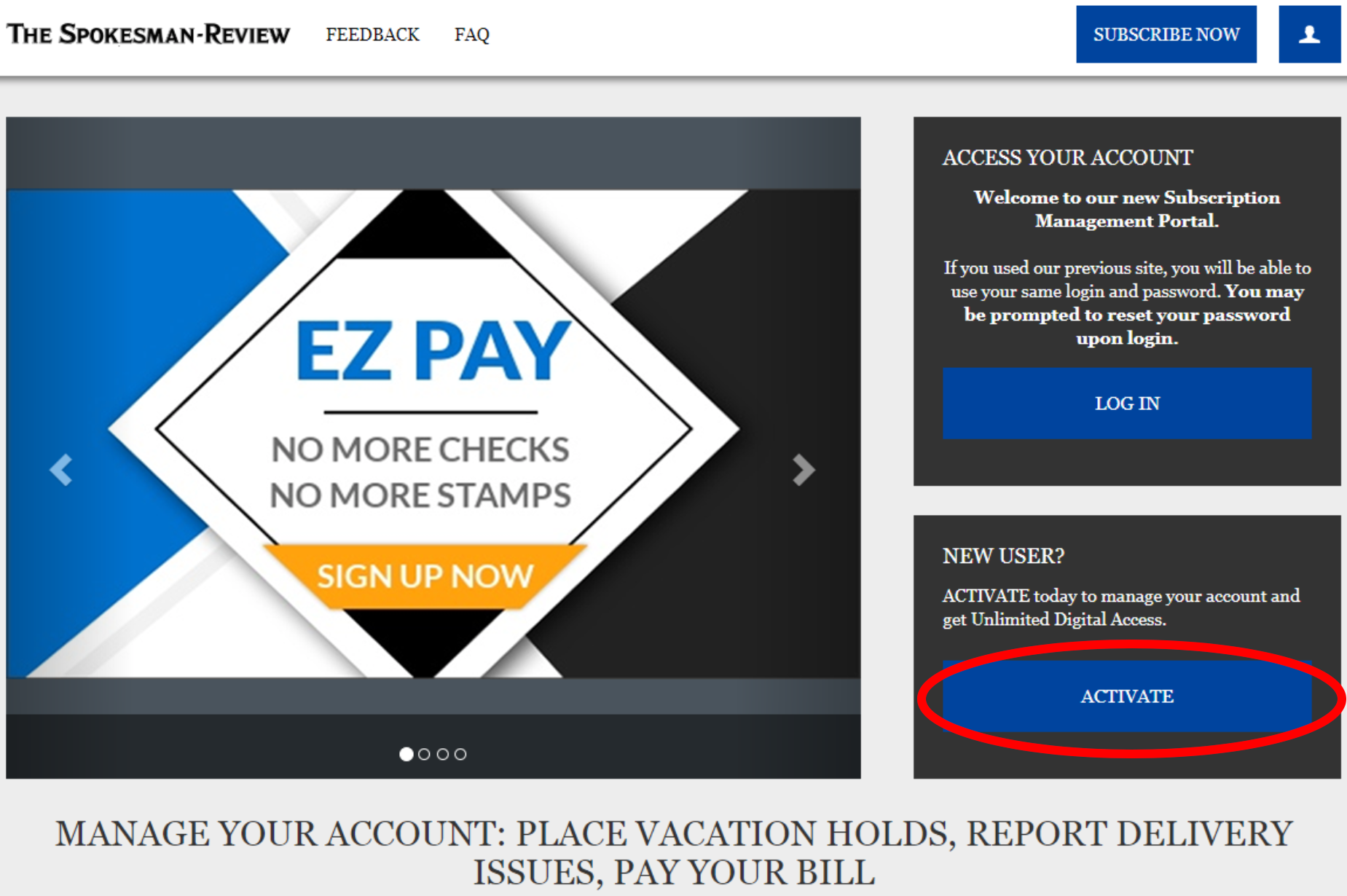
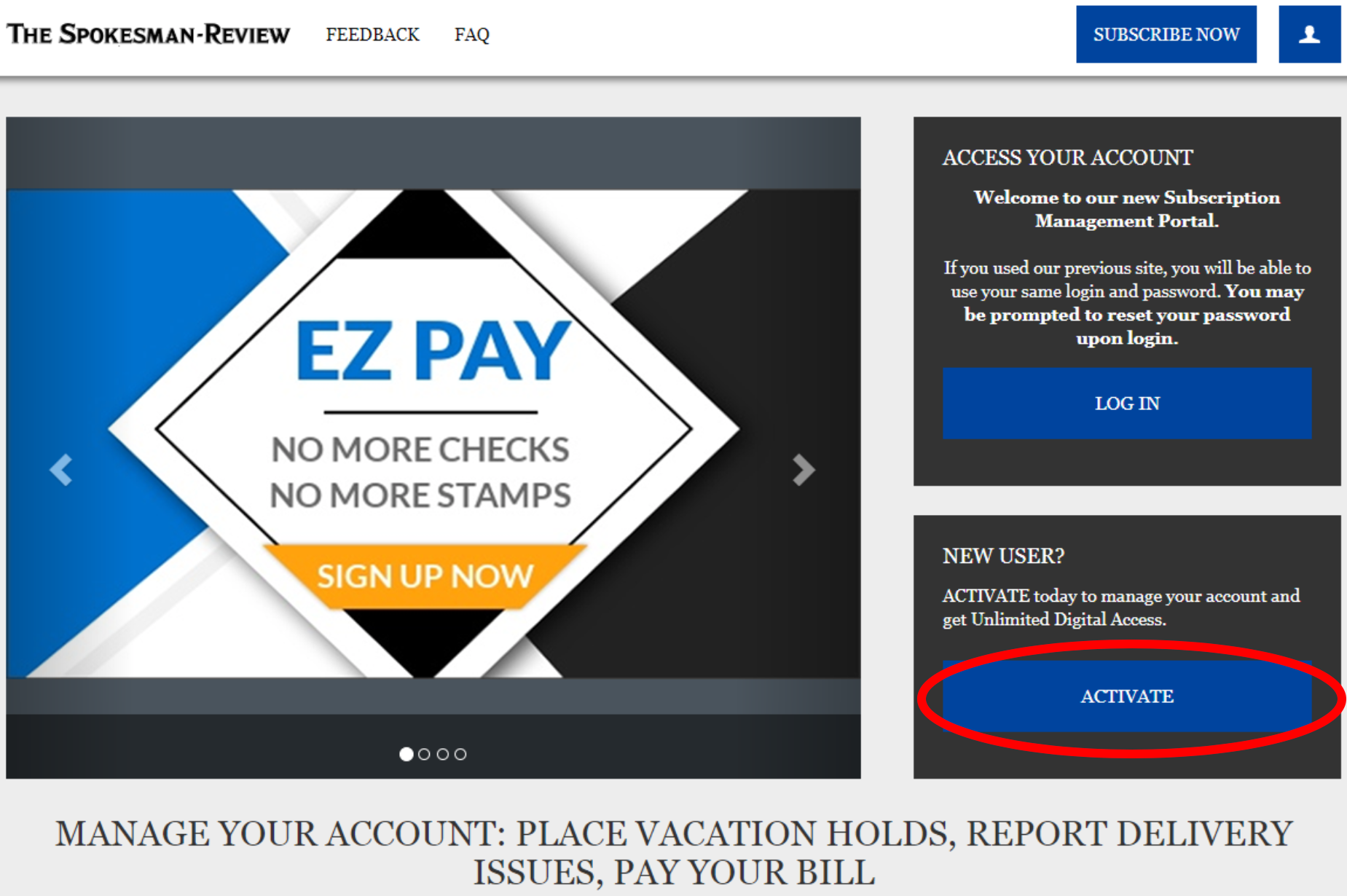
Go to https://myaccount.spokesman.com or click on ‘My Account’ at www.spokesman.com

-
Click ‘Activate’
-
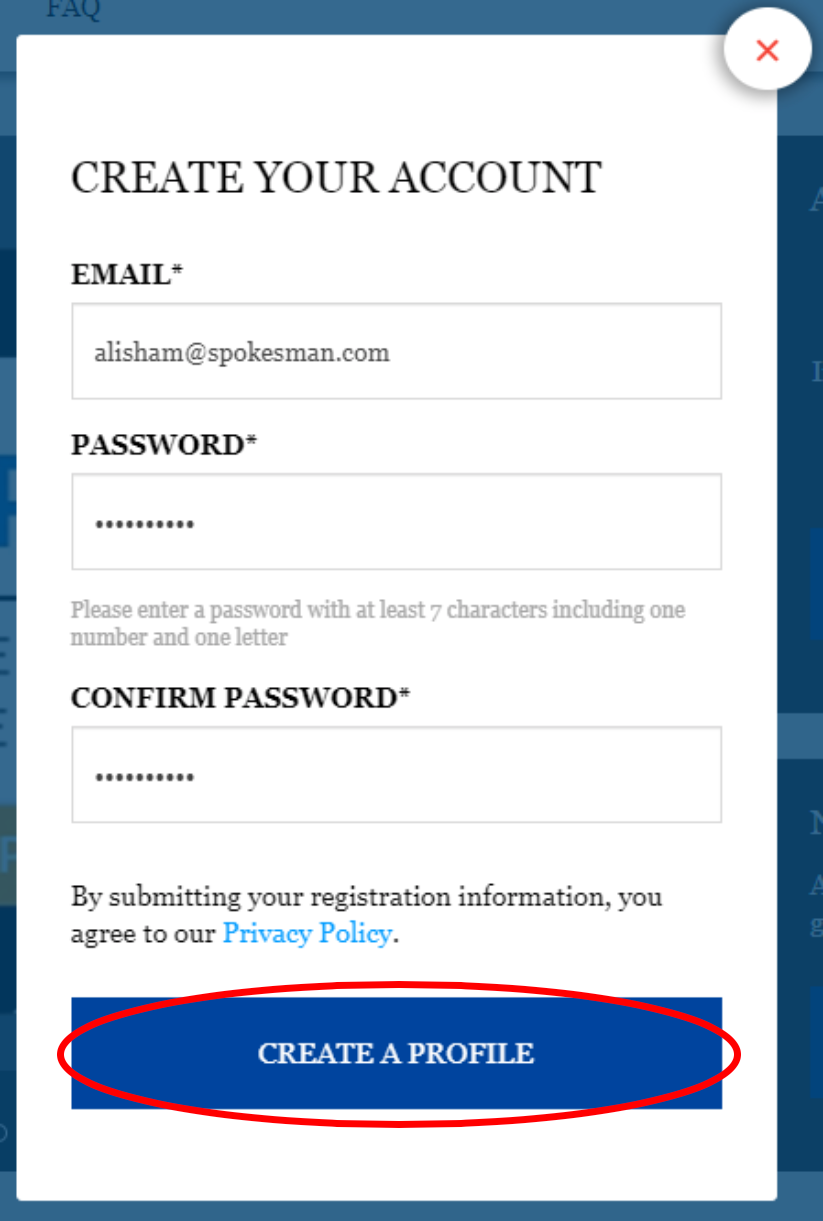
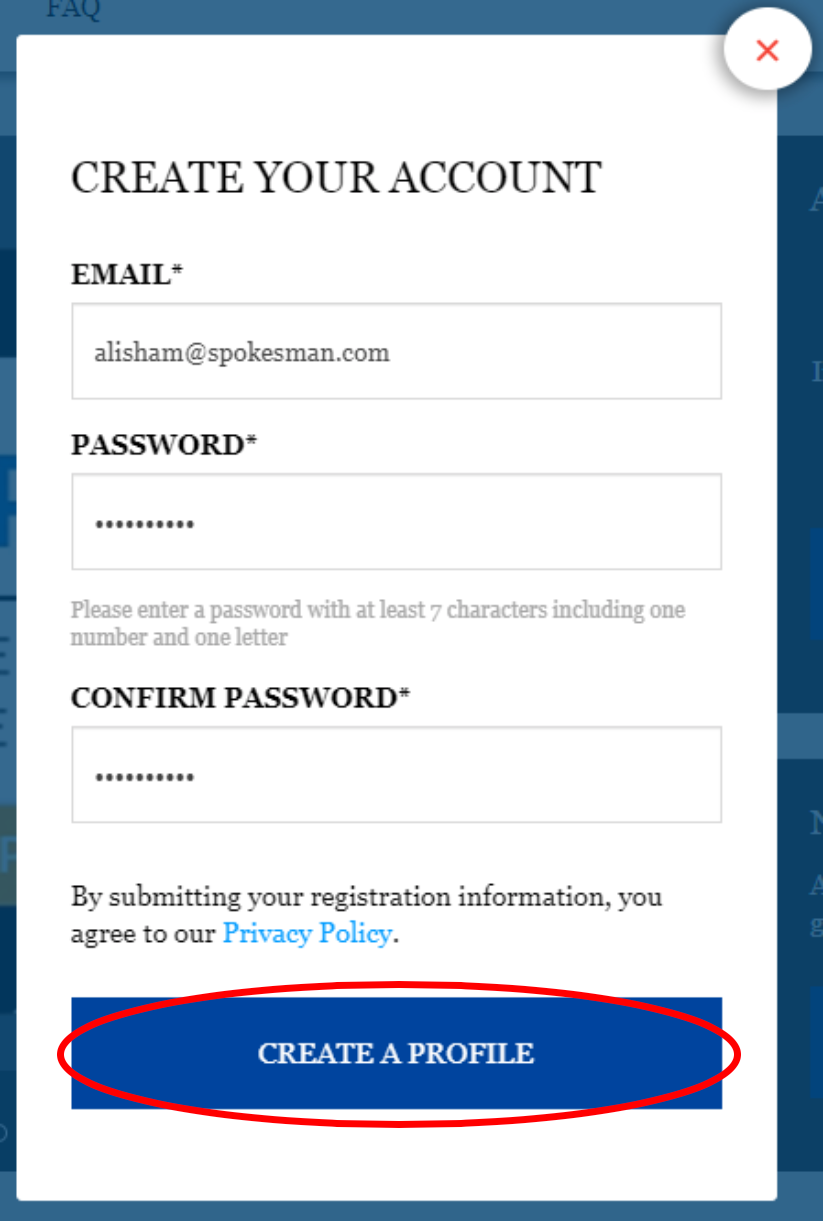
Enter your email address, password, and then confirm your password
- The password must have at least 7 characters including one number and one letter
-
Click ‘Create a Profile’
-
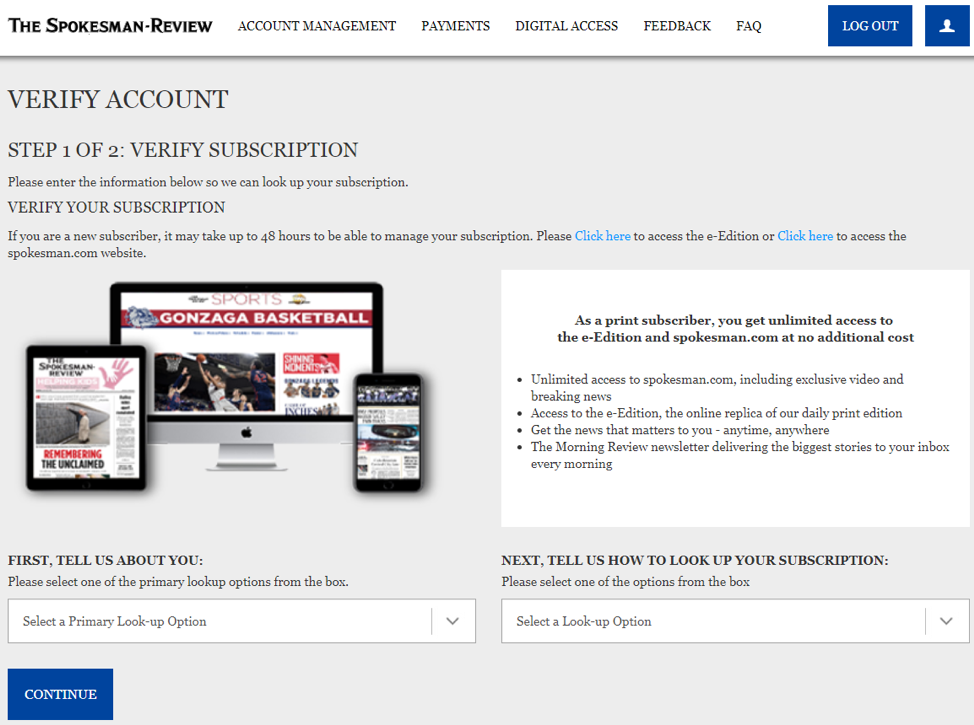
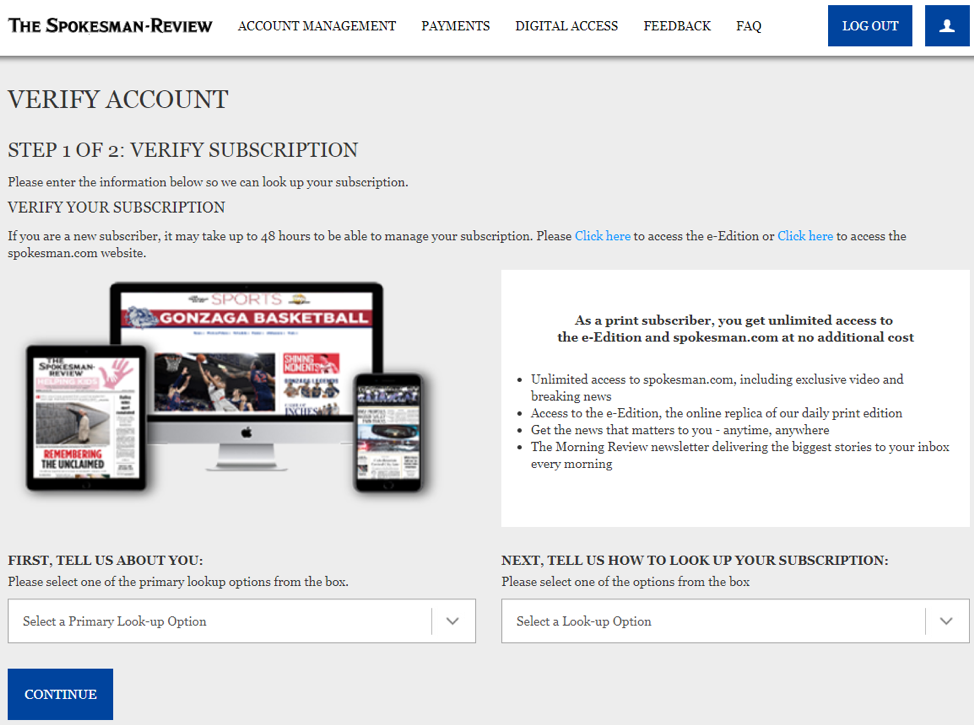
Upon successfully registering, verify your account
-
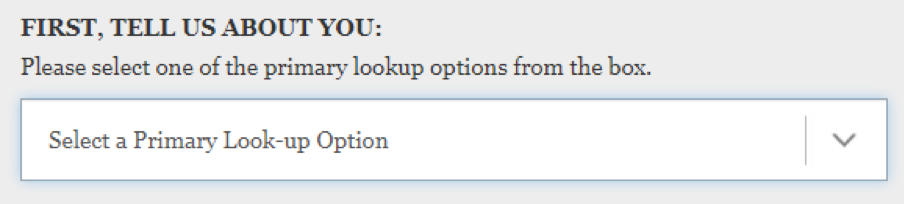
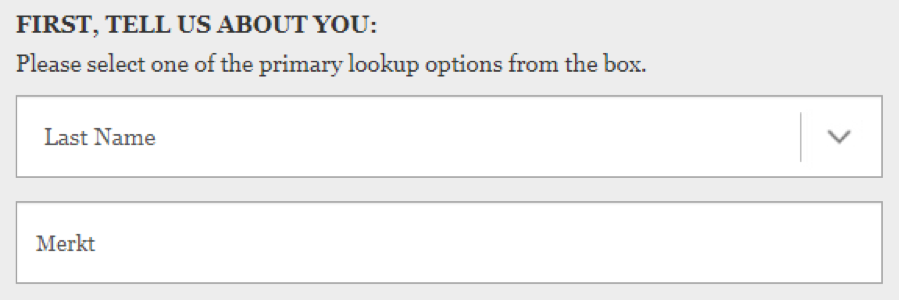
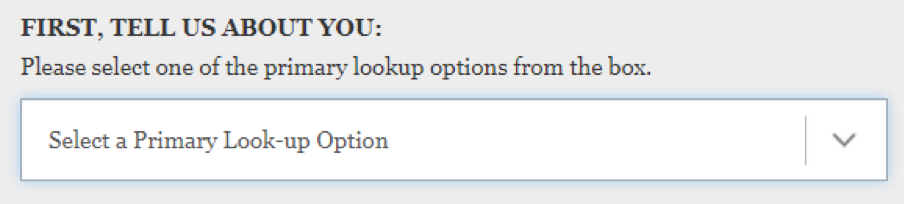
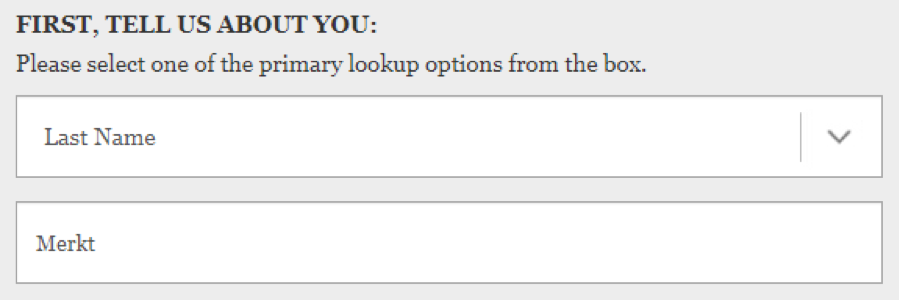
Click ‘Select a Primary Look-up Option’ on the bottom left hand side of the screen
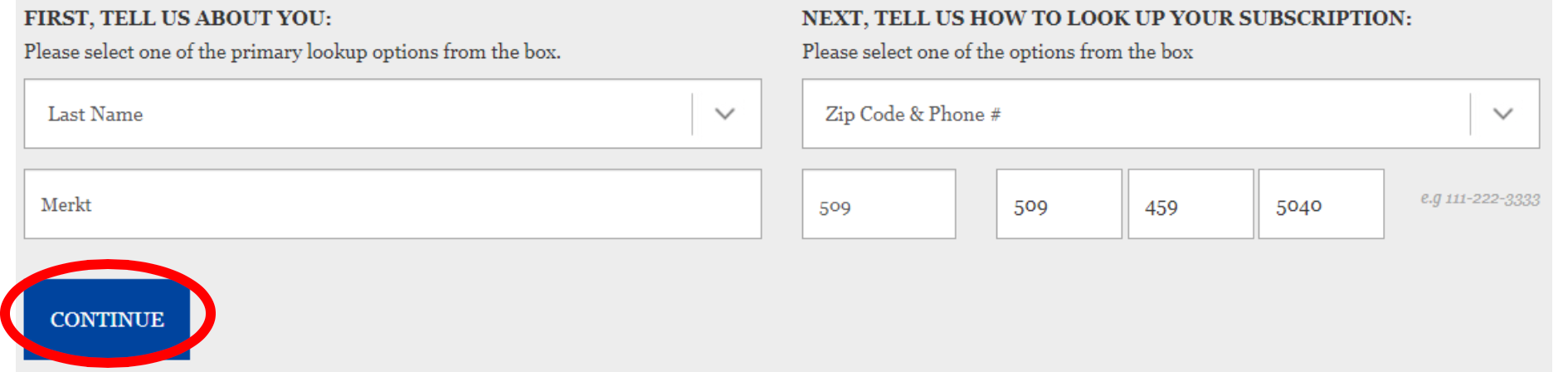
- Select the last name on the account and type in your last name
-
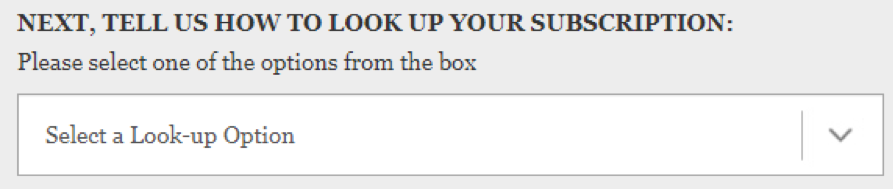
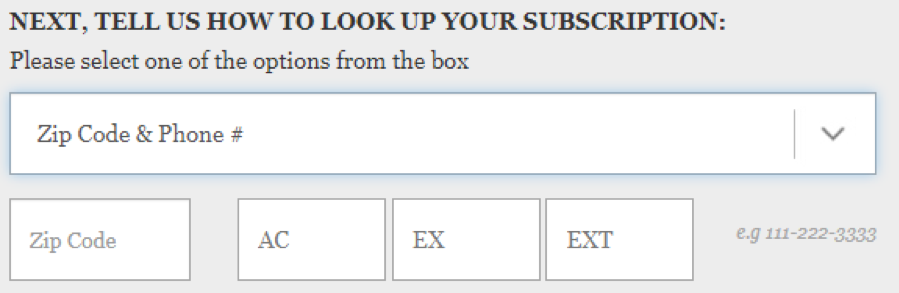
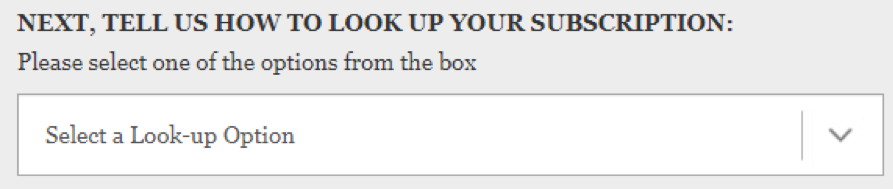
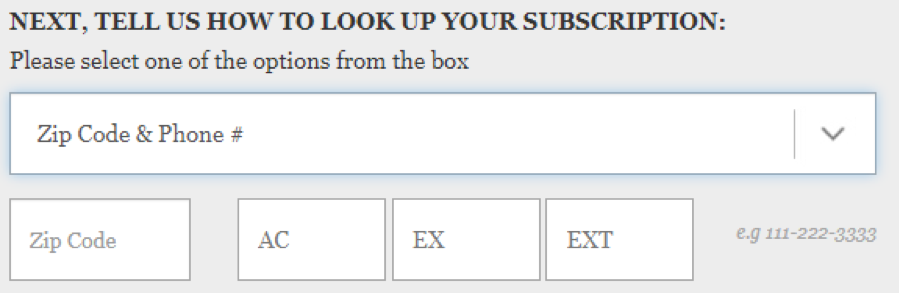
Click ‘Select a Look-up Option’ on the bottom right hand side of the screen
- Select account number OR zip code and phone number OR zip code and house number
-
Once both look-up options are typed in, click ‘CONTINUE’
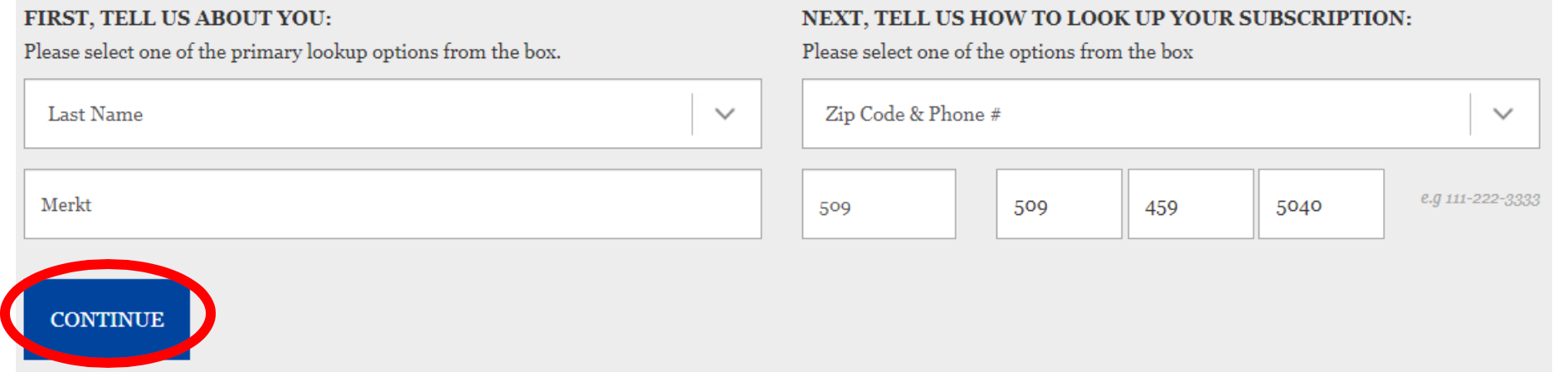
- Upon successful verification, you will now have full access to the online management portal, the e-Edition, and the website
- If you have additional questions or concerns or if you are experiencing problems registering, please call our Customer Care team at (509) 747-4422 or email us at circ@spokesman.com